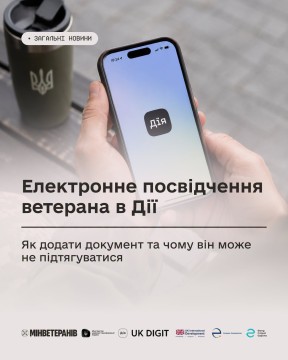
An electronic veteran ID (e-ID) is the digital equivalent of the document in the Diia app. It is generated automatically based on your entry in the Unified State Register of War Veterans (USRWW), so you don’t need to wait for a paper copy to be issued in order to use digital services.
Who can apply for an e-Certificate:
- Combatants (UBD)
- Perons with war-related disabilities
- War veterans
- Victims of the Revolution of Dignity
- Family members of deceased war veterans
- Family members of fallen (deceased) Defenders of Ukraine
How do I add a document in Diya?
- Download the Diya app and log in (via BankID or another convenient method).
- Go to the “Documents” section.
- Scroll to the bottom of the document list, tap “Add Document,” and select “Veteran ID.”
What information is displayed on the e-Certificate?
The e-Certificate contains a unique 11-digit registration number (the entry number in the Unified State Register of Legal Entities and Individual Entrepreneurs).
- If you already have a paper certificate: Both numbers will be displayed in the app—the series/number of the paper document and the 11-digit registration number.
- If the status was granted recently and you do not yet have a paper document: The digital certificate will contain only the 11-digit registration number. This allows you to immediately access the necessary services without having to wait months for a paper form.
Please note: The paper certificate remains a valid document.
Why might the e-Certificate not appear?
If the document has not appeared in Diia, this may indicate one of three reasons:
- The data is missing from the Unified State Register of Legal Entities and Individual Entrepreneurs (information about the status being granted has not yet been transferred to the register).
- There is an error in the data (for example, discrepancies in the full name or tax ID number).
No photo is available (the photo is automatically retrieved from biometric documents—an ID card or foreign passport; if these are not available, the document will not be generated).
- If your information is missing from the registry or contains errors, please contact the agency that granted you the relevant status to correct or update it.
The Ministry of Veterans Affairs continues to work on improving the quality of data in the Unified Register of War Veterans and simplifying the process of updating it so that veterans can use digital documents and services without any obstacles.
How can you check your information in the War Veterans Registry?
You can view your information from the War Veterans Registry directly in the Diya app, in the Veteran PRO section, by selecting the “Data from the Veterans Registry” service.
If necessary, you can also obtain an electronic extract from the Unified State Register of War Veterans through the Diya portal. To do this, go to the “Extract from the Register of Veterans” service page on the Diya portal, click “Get Extract,” log in, verify your information, and submit the request.
These services were developed by the Ministry of Veterans Affairs in collaboration with the Ministry of Digital Transformation, with support from the “Digitalization for Growth, Integrity, and Transparency” (UK DIGIT) project, implemented by the Eurasia Foundation and funded by UK Dev. The project partner is the Eastern Europe Foundation.
Based on materials from the Ministry of Veterans Affairs