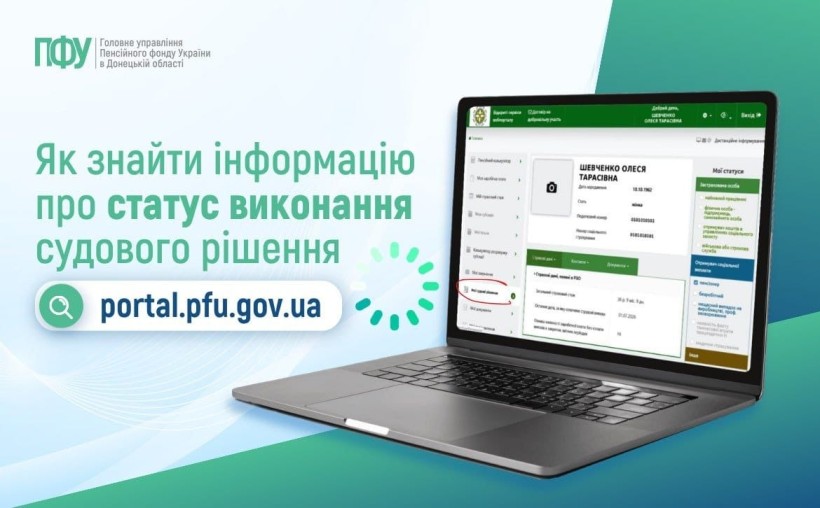
If you have a court decision regarding your pension, you can track its execution status online via the Pension Fund of Ukraine (PFU) electronic services portal ([https://portal.pfu.gov.ua/](https://portal.pfu.gov.ua/?utm_source=gemini)).
1. Visit the PFU Web Portal: Open https://portal.pfu.gov.ua/ in your web browser.
Go to the official Pension Fund of Ukraine electronic services portal.
2. Authenticate Your Account: Log in using your Qualified Electronic Signature (QES/КЕП), BankID, or Diia.Signature.
Click "Вхід" (Log In) in the upper right corner and complete the authorization process.
3. Navigate to Court Decisions: Locate the dedicated court decision section.
In your personal dashboard menu, navigate to the section for tracking court decisions related to pension provision ("Інформація про стан виконання рішень судів").
4. View Decision Details: Review the current processing stage and updated amounts.
Check the status and available details regarding the execution of your specific court case.
Important Distinction: Pension recalculation (перерахунок пенсії) and the actual payment of funds accrued under a court decision (виплата за рішенням суду) may occur at different times. A completed recalculation does not always mean immediate financial disbursement, as payments are processed according to legal procedures and budget allocations.
What to Do If Information Is Missing or Unclear:
If the required details are not displayed in your online account or you need further clarification, submit an official inquiry to the Pension Fund of Ukraine. Be sure to include:
The court case number (*номер судової справи*)
The date of the court decision (*дата рішення*)
The official name of the court (*назва суду*).